Learn about LL84 non-compliance penalties, quarterly cure deadlines, and violation resolution.
BY NYC Energy Code Team
ON
23 August 2026
ENERGY STAR Portfolio Manager: A Beginner's Walkthrough for LL84 Filing
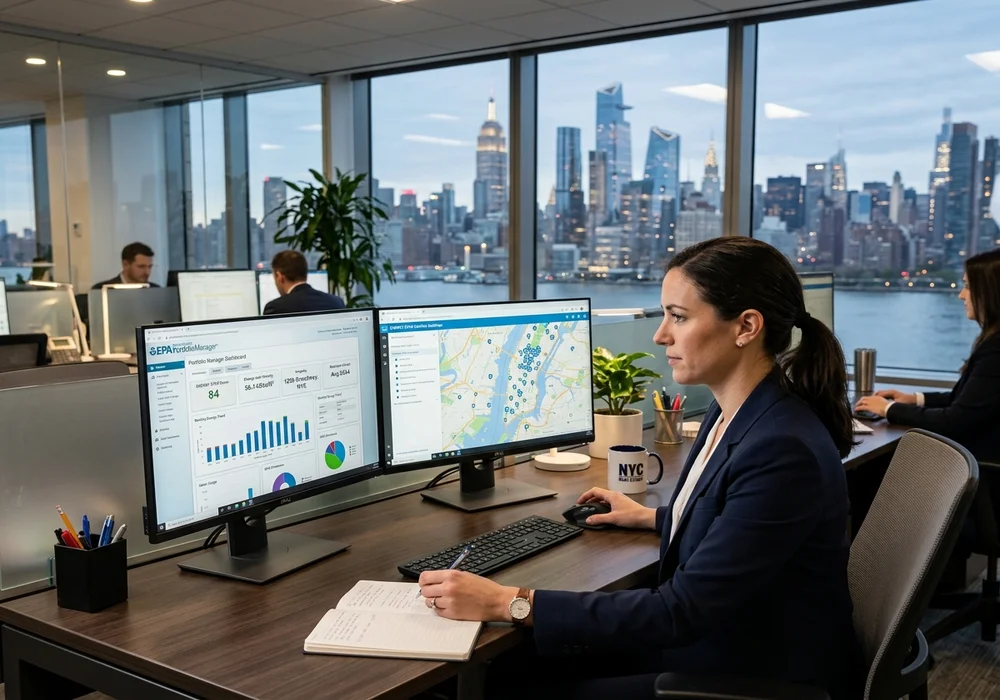
If you're new to New York City building compliance, ENERGY STAR Portfolio Manager can look more intimidating than it actually is.
Developed by the U.S. Environmental Protection Agency (EPA), the platform is used nationwide by commercial property owners, co-op boards, and facility directors to measure energy and water consumption. In New York City, it serves as the official compliance engine for Local Law 84 (LL84) annual benchmarking.
The overarching workflow is clear and sequential:
Collect Building Data → Set Up Meters → Enter 12 Months Utility Data → Run Quality Checker → Connect & Share Property with NYC
For calendar-year 2025 energy data, NYC's LL84 compliance deadline was May 1, 2026. The NYC Department of Buildings also mandates that owners share their properties with NYC through Portfolio Manager at least 15 business days prior to ensure automated data transfer and error reconciliation.
What Is ENERGY STAR Portfolio Manager?
ENERGY STAR Portfolio Manager is an online interactive energy management tool that tracks a building's energy and water use, greenhouse gas emissions, and Energy Use Intensity (EUI).
For NYC building owners, Portfolio Manager serves as the centralized repository behind the benchmarking process. The software normalizes consumption data for local weather patterns and building operational characteristics, calculating an ENERGY STAR Score (1–100) where applicable, which directly drives your building's posted Local Law 95 Building Energy Grade (A through F).
Step-by-Step LL84 Filing Walkthrough
Step 1
Gather Your Building & Identifier Information
Before logging in, assemble your building's fundamental parameters. Having this information organized prevents session timeouts and inaccurate data models:
- NYC Borough-Block-Lot (BBL): 10-digit tax parcel identifier (e.g., 1-01234-0056).
- Building Identification Number (BIN): 7-digit DOB building number.
- Gross Floor Area (GFA): Total square footage including basements and common areas.
- Operating Characteristics: Weekly operating hours, worker counts, and computer counts.
Step 2
Create Your Portfolio Manager Account
Register a free account at portfoliomanager.energystar.gov. Use a corporate or property management email address that will remain accessible across management transitions, ensuring your team maintains continuity over historical benchmarking records.
Step 3
Add Your Building as a Property
Click "Add a Property" on the My Portfolio tab. Select the primary property use (e.g., Multifamily Housing, Office, Retail). Enter the physical address, year built, and gross floor area. Under the "Standard IDs" section, make sure to populate the NYC Borough, Block and Lot (BBL) and NYC Building Identification Number (BIN) fields—these identifiers are essential for the DOB to match your submission.
Step 4
Define Property Uses Accurately
Large NYC properties often have mixed occupancies. If your residential building has street-level ground-floor retail or an underground commercial parking garage, enter these as distinct secondary property uses if they exceed 10% of total GFA. Accurate space allocation prevents distortion of your building's Weather Normalized Source EUI.
Step 5
Add Energy and Water Meters
Under the "Energy" and "Water" tabs, configure meters for every utility fuel supplied to the property:
- Electricity: Con Edison grid supply (kWh and kW demand).
- Natural Gas: Con Edison or National Grid (therms or ccf).
- Fuel Oil (#2, #4, #6, or Bioheat): Gallons delivered.
- District Steam: Con Edison high-pressure steam (Mlbs).
- Municipal Water: NYC DEP water meter (ccf or gallons).

Step 6
Enter Whole-Building Utility Data
Enter 12 consecutive months of billing data for the entire calendar year (January 1 through December 31). In master-metered buildings, input monthly utility bills directly. For buildings with individually metered tenant accounts, request whole-building aggregate consumption data from Con Edison and National Grid through their automated benchmarking portals.
Step 7
Verify Billing Dates and Continuity
Every billing cycle must have consecutive, contiguous start and end dates with no gaps and no overlapping days. A single missing week or duplicate month will flag an error and prevent Portfolio Manager from calculating an annualized EUI.
Step 8
Handle Missing or Estimated Data Properly
If a utility bill is unavailable, do not fabricate numbers. Request a duplicate statement from your utility supplier. While Portfolio Manager allows an "Estimation" checkbox, excessive unverified estimates can trigger Department of Buildings benchmarking audit inquiries.
Step 9
Run the Data Quality Checker
Before connecting with NYC, run Portfolio Manager's built-in "Check for Possible Errors" tool. The system scans for gross floor area discrepancies, meter date gaps, zero-consumption months, or unassigned meters, allowing you to resolve issues prior to filing.
Step 10
Connect and Share the Property with NYC
Navigate to the "Reporting" tab and open NYC's annual Benchmarking Reporting Template link. Select your property, choose the applicable reporting year, and execute the data share request with "NYC Benchmarking". The City's compliance system ingests shared data nightly.
Step 11
Review Automated Confirmation & Error Notices
After sharing, monitor your inbox for confirmation from the NYC Benchmarking Help Center. If an automated message flags a BBL mismatch or incomplete meter record, log back into Portfolio Manager immediately to correct the field and re-share the property.

NYC Local Law 84 Compliance Calendar & Deadlines
NYC's primary benchmarking compliance date is fixed each year:
Annual LL84 Filing Timeline
May 1, 2026: Primary statutory filing deadline for calendar-year 2025 energy and water data.
Quarterly Correction Windows: If you miss May 1 or need to correct submitted data, NYC provides quarterly cure windows on August 1, November 1, and February 1. However, missing May 1 results in a non-waivable $500 per quarter penalty ($2,000 per year max) until cured.
Delegating Access to Property Managers and Energy Consultants
Building owners rarely need to perform manual data entry themselves. Portfolio Manager includes robust role-based sharing permissions:
- Read-Only Access: Allows board members and lenders to view benchmarking metrics without editing data.
- Read/Write Access: Enables property managers or managing agents to add monthly fuel bills and update meter logs.
- Full Access (Exchange): Authorizes qualified energy engineers to manage property configuration, run compliance checks, and submit filings to NYC.
Top LL84 Portfolio Manager Mistakes to Avoid
Missing or Mismatched 10-Digit BBL / 7-Digit BIN
Entering an incorrect BBL or leaving the BIN blank causes the DOB's automated ingestion script to reject the filing, resulting in a violation notice.
Incomplete 12-Month Billing Coverage
Omitting December or leaving a single monthly gap prevents the system from calculating an annual EUI or ENERGY STAR score.
Failing to Complete the Final "Data Share" Step
Entering data into your account without executing the NYC Data Request Template leaves your building non-compliant on City records.
The Complete LL84 Benchmarking Checklist
Active EPA Account: Verified login with multi-user access permissions configured.
Verified Property Identifiers: Accurate 10-digit BBL, 7-digit BIN, and gross square footage.
All Fuel Types Configured: Active meters for electric, gas, fuel oil, steam, and DEP water.
Continuous 12-Month Data: Contiguous billing coverage from Jan 1 through Dec 31.
Error-Free Data Checker: 0 critical alerts in Portfolio Manager's verification tool.
Executed NYC Data Share: Submitted through the official NYC Benchmarking Reporting link.
Final Takeaway
ENERGY STAR Portfolio Manager is the foundational backbone of New York City's energy compliance ecosystem.
The annual benchmarking data you submit does more than satisfy Local Law 84—it directly determines your building's Local Law 95 Energy Grade and provides baseline consumption data for Local Law 97 emissions limits.
By initiating whole-building utility data collection early and completing the property sharing process well ahead of May 1, owners protect their properties from recurring DOB violations and maintain complete operational transparency.
Frequently Asked Questions
It is an EPA online tool used to benchmark and track building energy and water consumption. NYC uses it as the mandatory reporting platform for Local Law 84 annual benchmarking.
Yes. NYC requires all covered buildings (>25,000 sq ft) to connect and share their properties with the City through ENERGY STAR Portfolio Manager for LL84 compliance.
You need building characteristics (gross floor area, NYC Borough-Block-Lot / BBL, BIN number, property uses) and 12 complete months of whole-building electric, gas, steam, fuel oil, and water utility data.
Energy data comes from utility monthly billing statements, Con Edison / National Grid aggregate whole-building data requests, DEP water portals, and fuel delivery receipts.
Yes. Portfolio Manager provides multi-tier permissions allowing owners to grant managing agents or qualified energy consultants access to manage meters and submit filings on their behalf.
For calendar-year 2025 data, the annual LL84 benchmarking deadline is May 1, 2026. The City strongly recommends initiating property sharing at least 15 business days in advance.
Review the Portfolio Manager error notification, correct the underlying meter or property parameters, and re-share with NYC. Quarterly correction windows occur on August 1, November 1, and February 1.
No. Portfolio Manager supports spreadsheet bulk uploads, web service APIs, and automated aggregate utility data uploads directly from Con Edison and National Grid.
Yes. NYC DOB rules require property owners to maintain records of benchmarking confirmation emails, Portfolio Manager submission data, and utility bills for at least 3 years.